
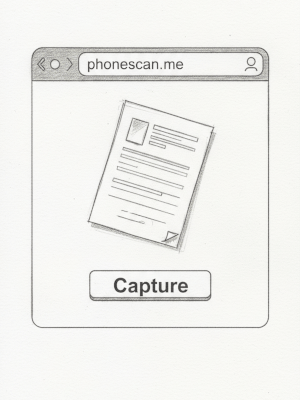
Hello! This is my new project, phonescan.me. It lets you capture document images using your mobile device's camera.
You've probably been there: you need to send a photo or scan of a document or your ID card, but there's no scanner nearby. Or maybe that infernal device just refuses to work. Well, this simple website can help. You don't even need to install an app. Just open the site in your mobile browser, launch the camera, select the document in the photo – and you're done!
Here are a few examples where the site comes in handy:
- Quickly send a scan of your passport or driver's license for a car rental.
- Submit a visa application when they ask you to upload a copy of a document.
- Forward a contract or receipt to accounting.
- Save a receipt or warranty card for personal use.
Honestly, I'm not even sure it's worth writing a detailed manual for how it works. There are just four steps. First, take a photo of your document. I've written a few tips on how to do this well.
Next, you simply highlight the document fragment by placing four points at the corners. No need to perfectly align the document or hold your phone directly above it. On the next step, everything will be straightened out for you.
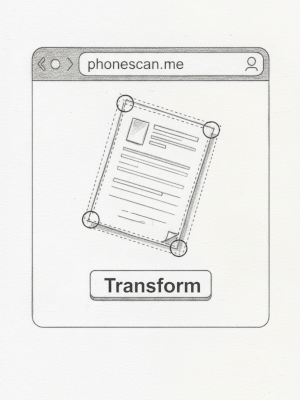
See? The app automatically rotated and straightened the document, even if you took the photo at an angle. All for your convenience.
And since we're dealing with documents, the image is instantly converted to black and white, and contrast is enhanced whenever possible.
Once you've saved an image, you can immediately take another shot.
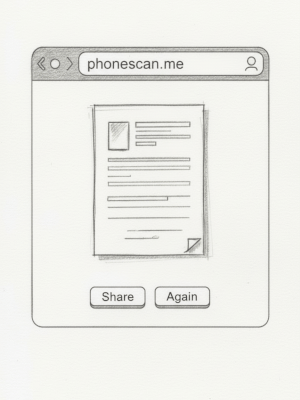
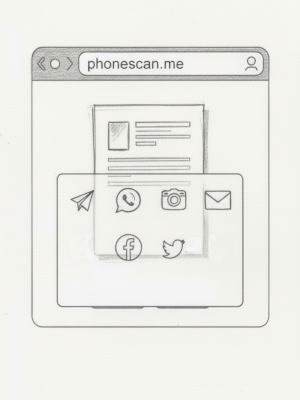
Yes, you noticed—you can instantly share the file with any app! Pretty cool for a website, right? You can attach it to an email, send it in a messenger, or save it straight to cloud storage like Google Drive or Dropbox.
Privacy Notice:
Your photos are processed entirely on your device and never stored on our server – your privacy is guaranteed.
There's a separate article with more details about security.
And there's so much more I could add in the future:
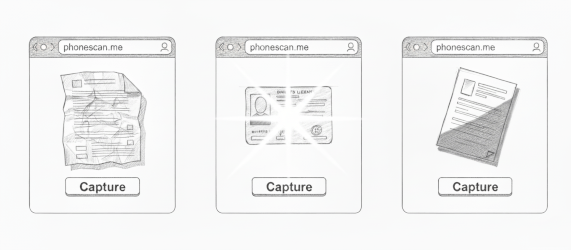
- Automatic detection of document corners, so you only have to move the blue markers in tricky cases.
- Support for wrinkled documents – something few similar apps handle well.
- Glare removal on laminated sheets. Remember those passport and driver's license photos?
- Lighting correction, for those times you have to snap a photo in poor light.
- And a little magic to remove shadows. If your light source is behind you, sometimes you don't even notice part of the page is in shadow.
Heads up!
You don't need to pay to use this service right now – enjoy it for free! In the future, I may consider charging, but I have no plans for subscriptions. If it ever comes to that, it'll be a simple pay-as-you-go system: buy credits and top up your balance only when you need more.