

What is phonescan.me?
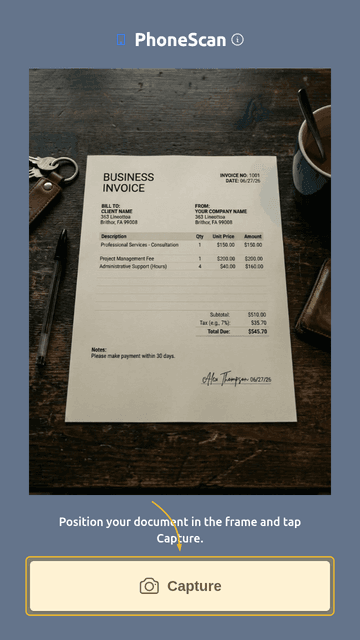
It lets you capture document scans using your phone's camera. No app to install – open the site in your mobile browser, point the camera at your document, and you're done. Corners are auto-detected, with manual adjustment only when needed. Straightening and contrast are done for you.
When it's useful
Here are a few examples:
- Quickly send a scan of your passport or driver's license for a car rental.
- Submit a visa application when they ask you to upload a copy of a document.
- Forward a contract or receipt to accounting.
- Save a receipt or warranty card for personal use.
How it works
First, take a photo of your document. There are tips elsewhere on the site for getting a good shot.
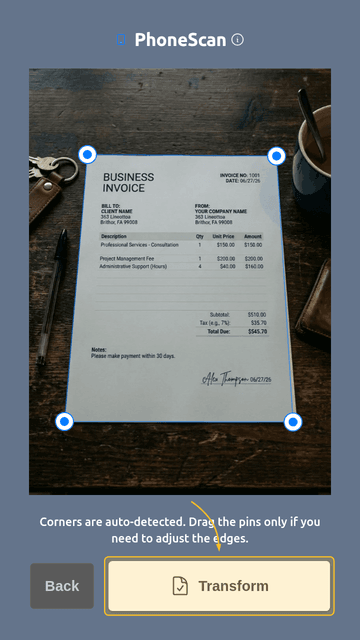
Next, review the detected corners and adjust them only if needed. You don't need to hold the phone straight above it – the next step straightens everything automatically.
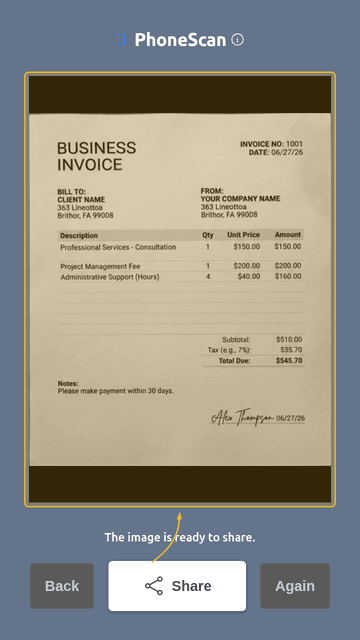
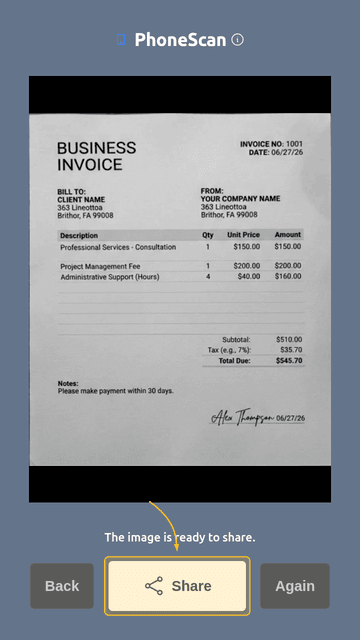
The app rotates and straightens the document even if the photo was taken at an angle. The image is converted to black and white with contrast enhanced. Then you can save and take another shot, or share the file right away.
You can share with any app – email, messenger, or cloud storage like Google Drive or Dropbox.
Privacy and security
Privacy notice: Your photos are processed entirely on your device and never stored on our server. More about security.
What's next
Planned improvements:
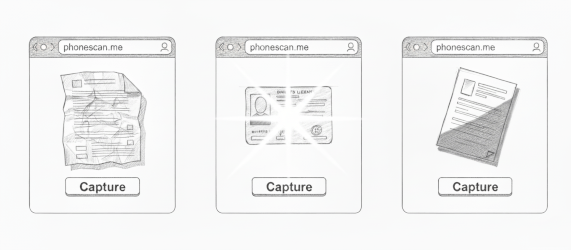
- Smarter corner detection in low-contrast and cluttered backgrounds.
- Support for wrinkled documents – something few similar apps handle well.
- Glare removal on laminated sheets (e.g. passports and driver's licenses).
- Lighting correction for photos taken in poor light.
- Shadow removal when part of the page is in shadow.
Heads up! The service is free to use right now, with no subscription plans. If that changes in the future, it would be a simple pay-as-you-go system.