The library is the perfect place to work – until you need a copy of a couple of chapters from a rare book.
Usually, the scenario goes like this: you grab a stack of books, head to the only working copier, stand in line for 20 minutes, and then frantically search for coins or a payment card. The result? A pile of paper that's cumbersome to carry and wasted time.
In this day and age, waiting in line for a scanner feels outdated. Your smartphone can handle this task faster, quieter, and completely for free. The key is knowing how to turn a photo of a page into a full-fledged digital document.
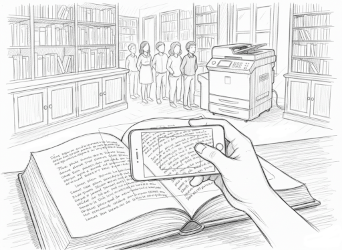
Why Just Taking a Photo of a Page Isn't Enough
Many students simply "snap" pages. But when you get home and sit down to prepare for the seminar, you realize the mistake:
- Distortions: Pages bend at the spine, and the text "floats" into shadows. Reading this is painful for the eyes.
- Clutter in the Frame: Fingers holding the page, the neighboring page, the table.
- Chaos in the Gallery: 50 photos mixed in with selfies and memes. Finding the right chapter is nearly impossible.
The service phonescan.me solves these problems on the fly. You're not just taking a snapshot; you're creating a clean digital copy.
PRO TIP: It's better not to use flash in the reading room. First, it disturbs others. Second, the pages glare, making the text unreadable. Our service works perfectly with standard library lighting.
The Technique of "Contactless" Scanning
To get a perfect images that you can read on a tablet or print out, follow these simple rules:
- Secure the Book: If the binding is tight, use a paper clip or a pen to hold the edge of the page. Try not to cover the text with your fingers.
- Hold the Phone Steady: The camera should be parallel to the page.
- Use phonescan.me: Aim the camera and take the shot.
What happens next? The algorithm will straighten the perspective – the bend at the spine will become flat. Most importantly, it will remove any gray tones, making the background perfectly white and the letters a contrasting black.
Compiling Your Notes into One File
The biggest headache when preparing for an exam is that folder named "New Folder (2)" containing 100 files named IMG_2025.jpg.
Don't do that.
Name it "History, Chapter 3" and send it to yourself via WhatsApp or email. It takes seconds and saves you hours of stress before exams.
No more lugging heavy tomes around or spending money on copiers. Your pocket library is always with you. Just point the camera and preserve your knowledge.